.svg)
.png)
.svg)
.svg)
.svg)


Framer has quickly become a leading no-code platform for building modern, responsive websites. For designers, startups, and agencies, selecting the Framer template best suited for your project is critical — it ensures your website is visually striking, functional, and easy to scale. Minimalist website design templates with image-led layouts and grid-based structures are particularly effective, allowing content to take center stage while providing an intuitive user experience.
What Is a Framer Template?
A Framer template is a prebuilt website framework specifically designed for the Framer platform. These templates include layouts, components, styles, and placeholder content that can be customized to match your brand or project. They combine visual clarity with technical flexibility, making it easy to create modern customisable websites without starting from scratch.
By using a template, designers maintain consistency, responsive design, and performance optimization, while accelerating development. Whether you’re building a portfolio, product site, or landing page, the Framer template best options provide a reliable foundation.
How Framer Templates Work
- Component-Based Design: All templates are built using reusable Framer components. Updating a single component propagates changes throughout the site.
- Responsive Layouts: Templates automatically adapt to desktop, tablet, and mobile screens.
- CMS Support: Many templates include CMS collections for portfolios, blogs, or product showcases, enabling dynamic content without coding.
- SEO & Accessibility Ready: Top templates are structured for search engines and accessibility standards.
- Free & Premium Options: Both free Framer templates and paid options are available, offering flexibility depending on your project needs.
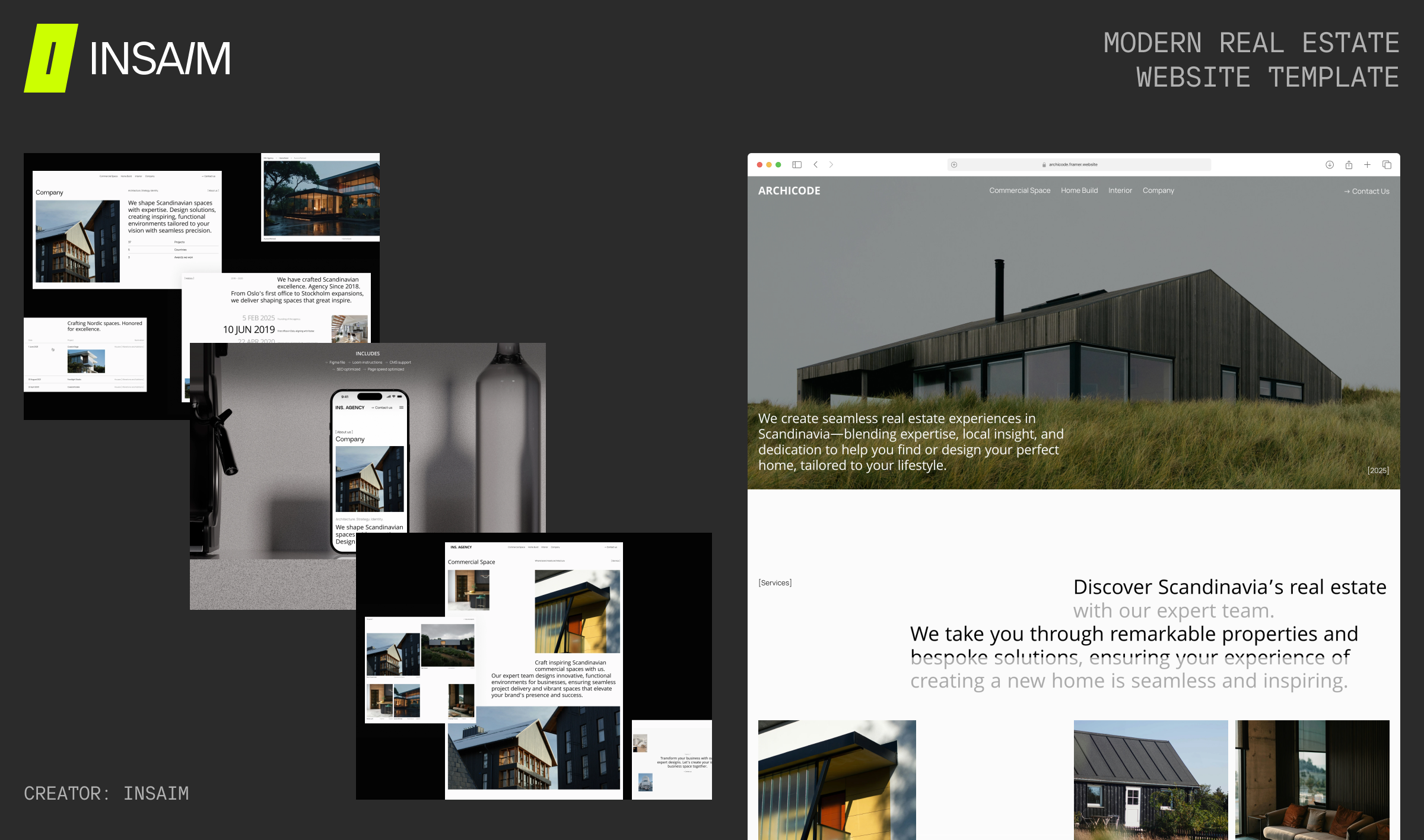
1. Archicode — Modern Real Estate Website Template
Creator: INSAIM DESIGN
Link: https://www.framer.com/marketplace/templates/archicode/
Price: Free
Description:
Archicode is a modern, conversion-focused Framer template built for real estate agencies, developers, and property professionals who want a refined digital presence. Its architectural layout combines bold typography, structured grids, and image-led sections to highlight listings and services with clarity. A property-driven CMS makes managing featured or sold listings simple, while responsive design ensures a polished experience across devices. With SEO-friendly structure, clean visual hierarchy, and lead-focused contact pages, Archicode delivers a scalable and elegant foundation for contemporary real estate brands.
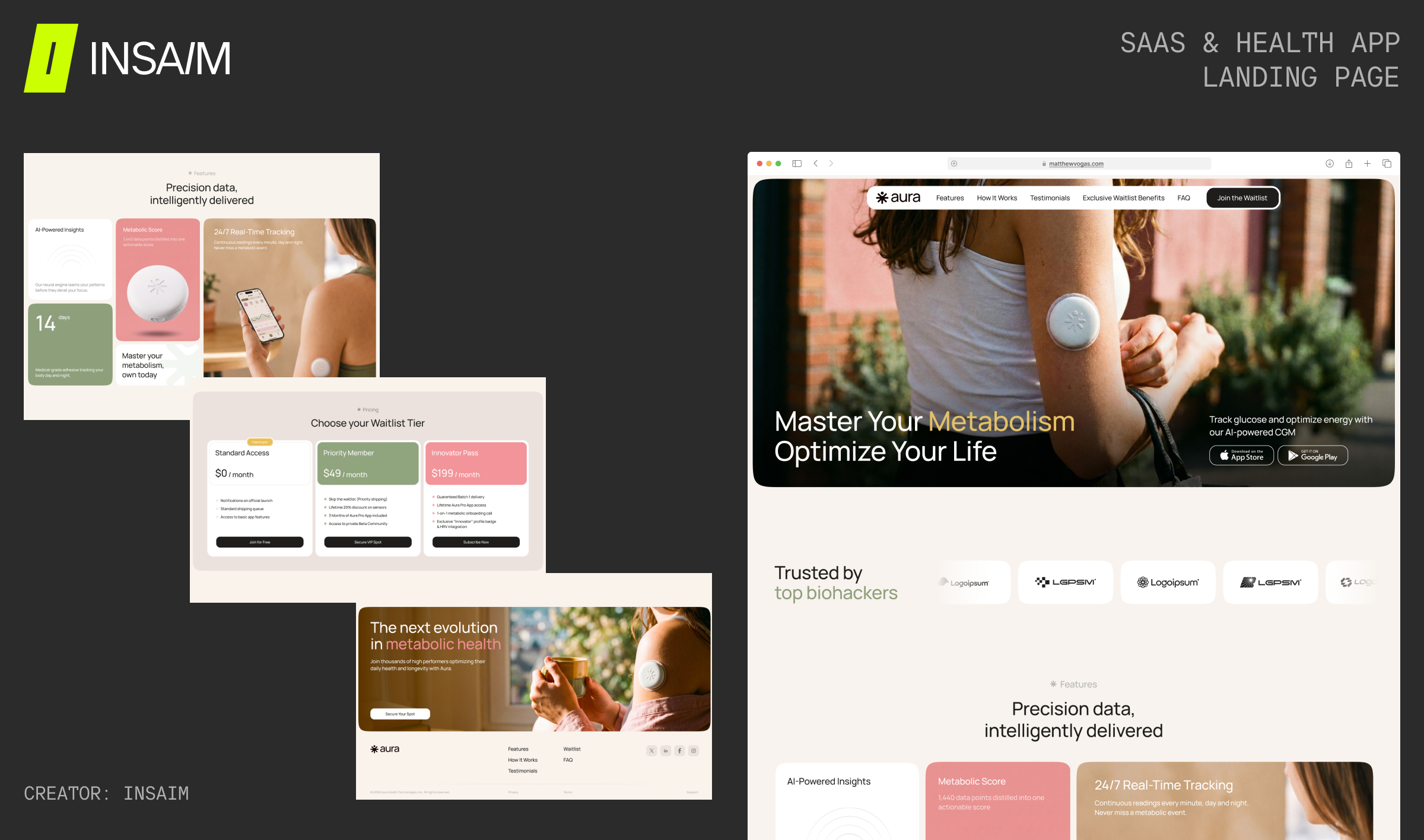
2. Aura – SaaS & Health App Landing Page
Creator: INSAIM DESIGN
Link: https://www.framer.com/community/marketplace/templates/aura-healthtech-app/
Price: Free
Description: Aura is a modern, conversion-focused Framer template designed for HealthTech startups, SaaS products, and mobile apps preparing for launch. Its clean bento-grid layout highlights product features while guiding visitors toward waitlist sign-ups with clear calls to action and a streamlined user experience. Built with responsive design, smooth scroll animations, pricing, FAQ, testimonials, and app download sections, Aura provides everything needed to launch a professional landing page without code. Easy to customize and optimized for conversions, it offers founders a fast, scalable foundation for building anticipation and growing an early user base.
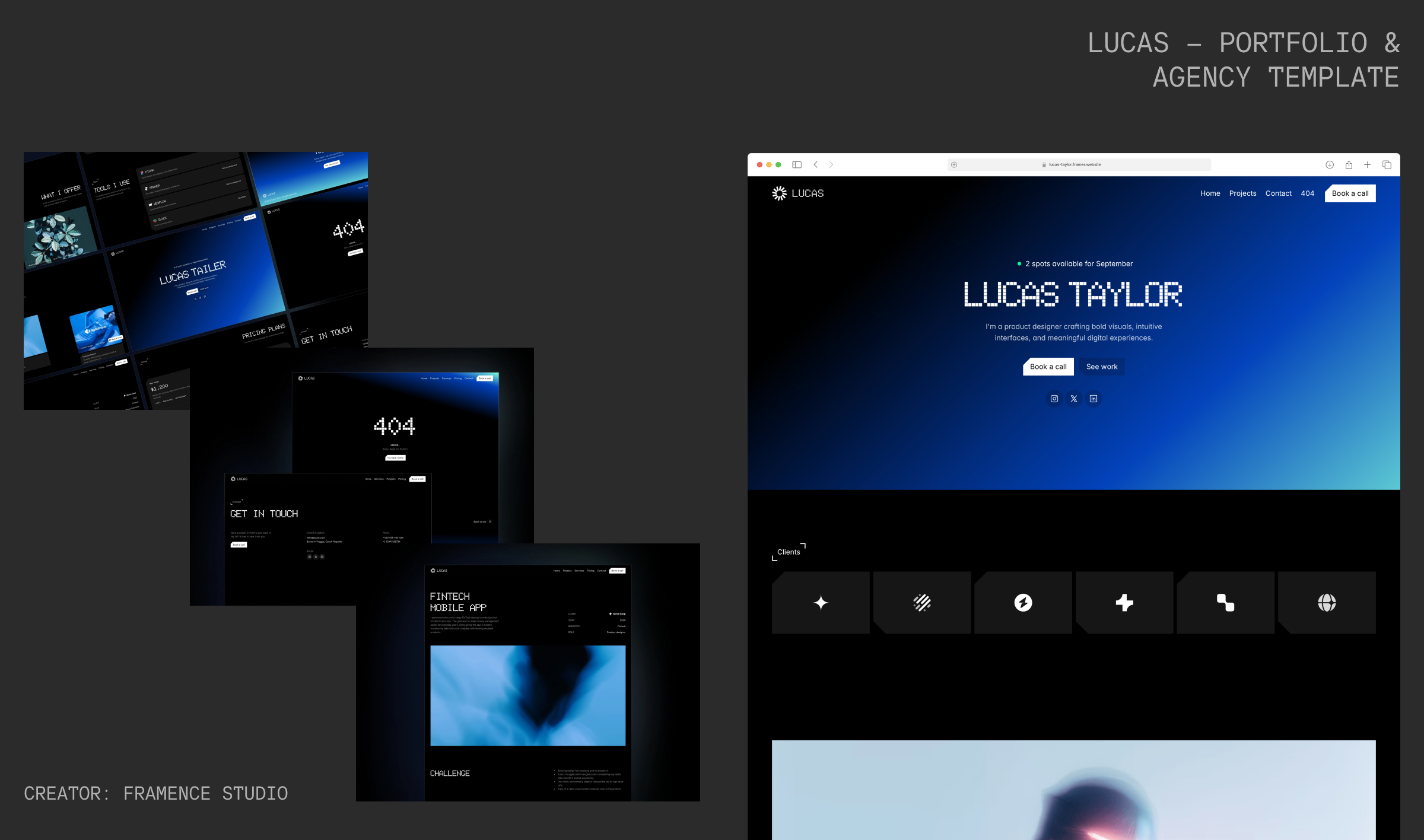
2. Lucas — Portfolio & Agency Template
Creator: Framence Studio
Link: https://framer.link/insaim-design
Price: Free
Description:
Lucas is a bold, dark-themed Framer template designed for creatives, designers, and agencies seeking a modern, professional portfolio. Built with reusable components and responsive layouts, it provides structured sections for projects, services, pricing, testimonials, and client information. The minimalist aesthetic keeps the focus on visual work while maintaining strong usability. SEO-friendly structure and no-code customization make it easy to launch a sleek, scalable creative website with confidence.
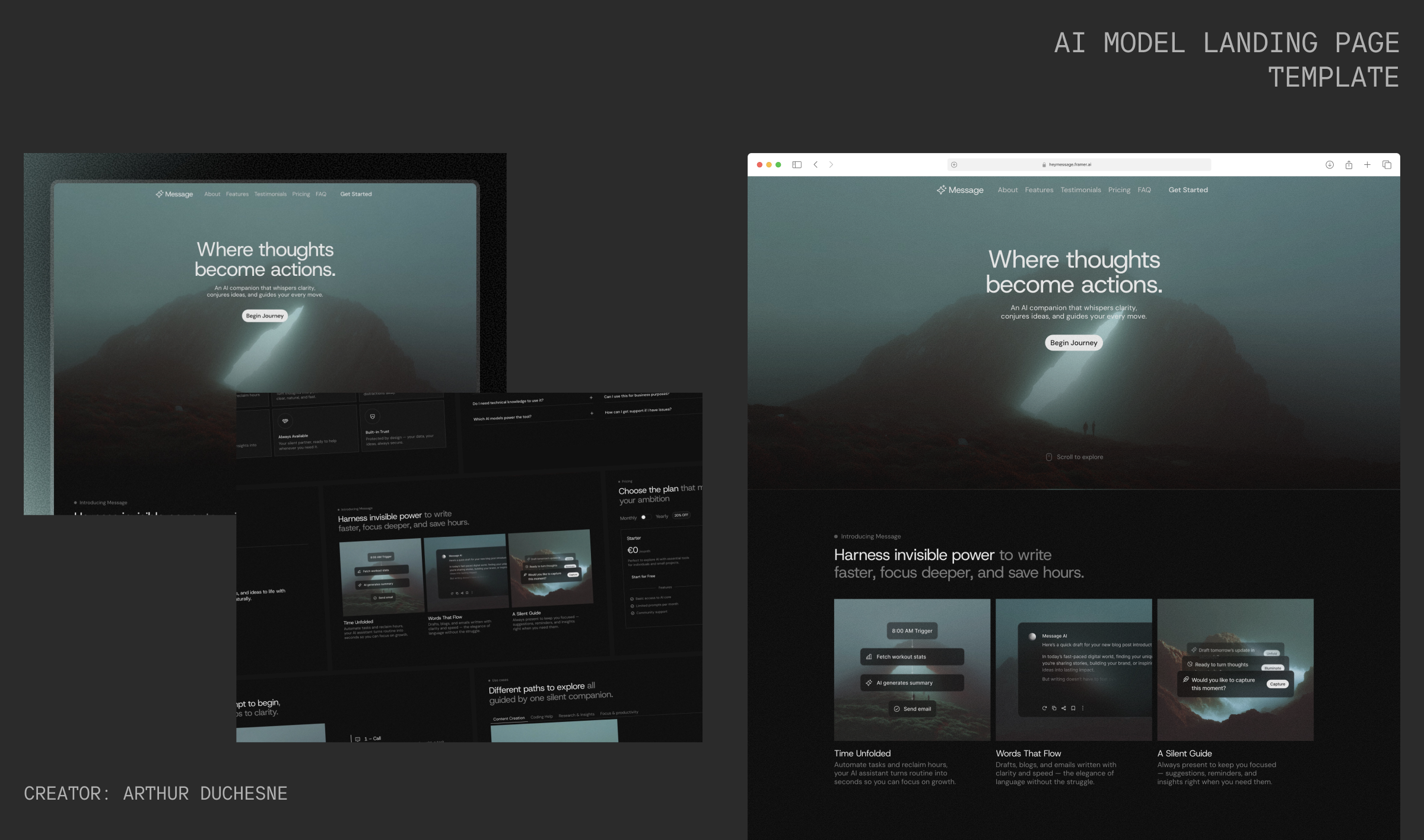
3. Message — AI Model Landing Page Template
Creator: Arthur Duchesne
Link: https://framer.link/insaim-design
Price: Free
Description:
Message is a sleek Framer template for AI startups, LLM tools, and generative assistants. Its modular, responsive layout allows for flexible sections, clean typography, and image-led design. Built for clarity and engagement, it helps showcase AI products, features, and workflows while guiding visitors intuitively. The fully editable structure makes it easy to customize every component directly in Framer without coding.
4. Remote — Free SaaS & Digital Product Template
Creator: Motiondrops
Link: https://framer.link/insaim-design
Price: Free
Description:
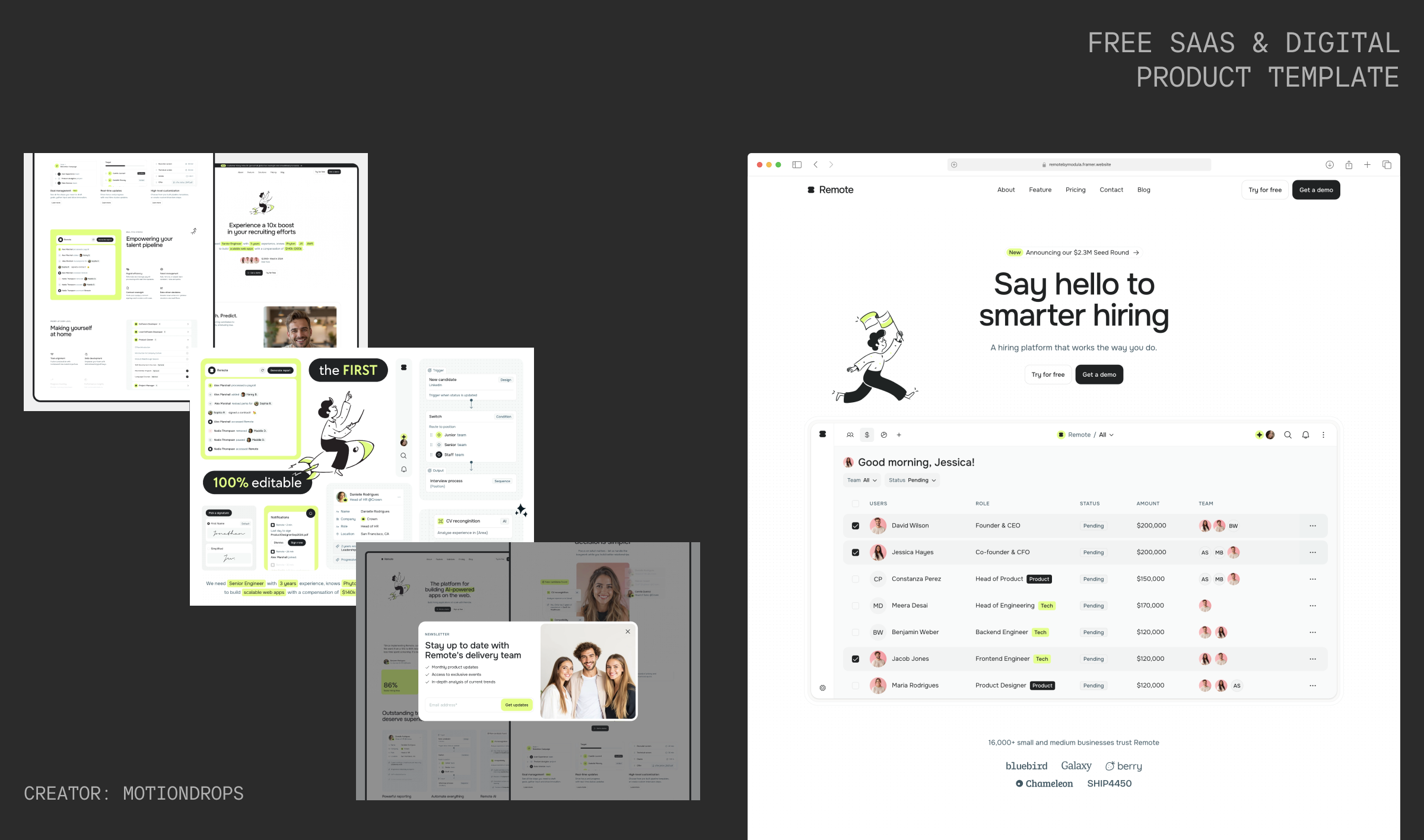
Remote is a fully editable Framer template built for SaaS startups, digital products, and tech-focused agencies. Its modular layout provides over 50 unique sections across 13 pages, including CMS-powered pages for dynamic content. Every component and section is customizable directly in Framer, allowing designers to mix and match layouts for maximum flexibility.
5. OkeyStudio — Free Portfolio & Studio Template
Creator: Webestica
Link: https://framer.link/insaim-design
Price: Free
Description:
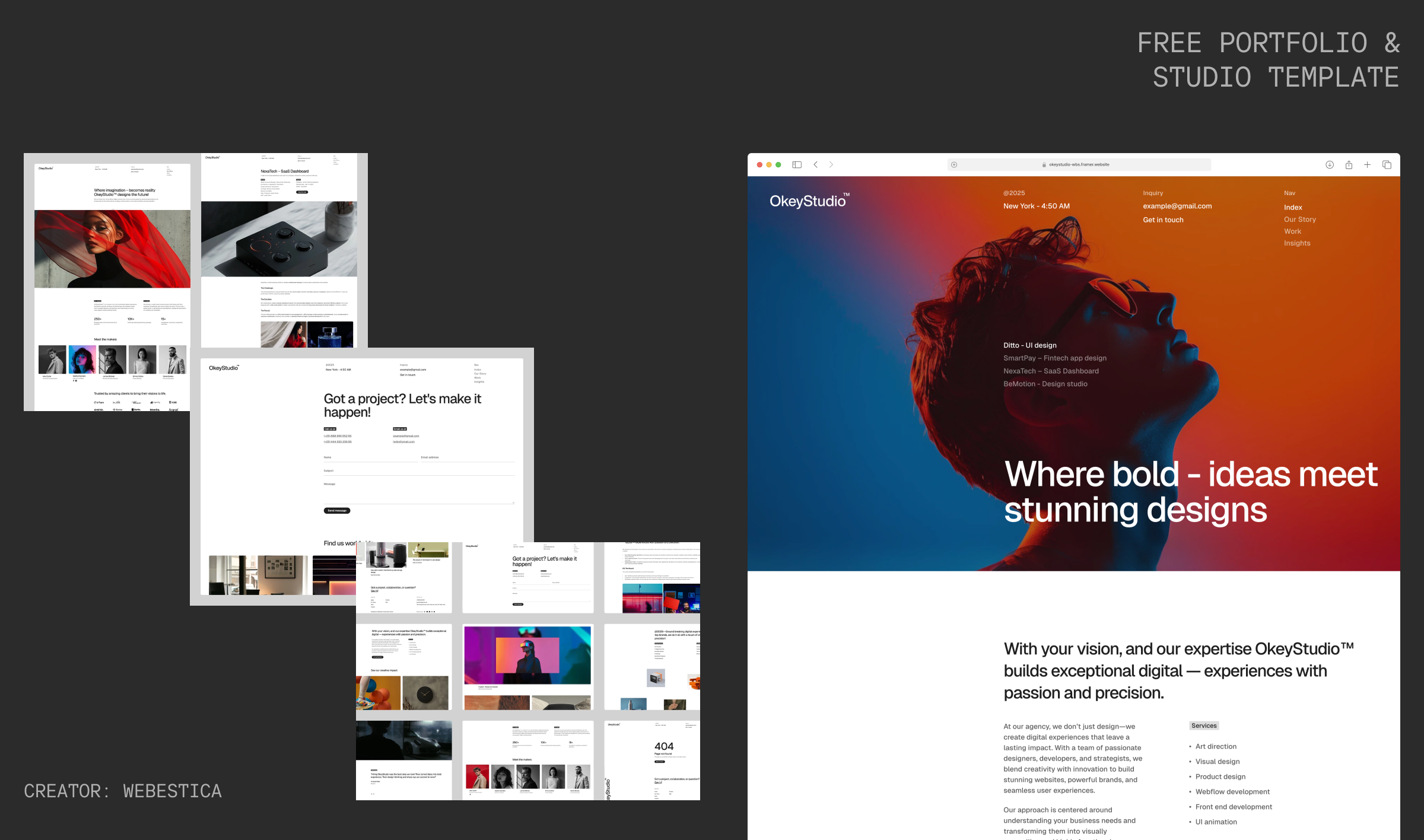
OkeyStudio is a bold, minimalist Framer template designed for creative portfolios, studios, and branding websites. Its clean layout and structured design give your work space to shine while maintaining a modern, elevated feel. Whether you’re building a personal portfolio or a studio showcase, OkeyStudio offers flexibility without overwhelming distractions, making it a great free option for creatives and agencies who want a refined digital presence.
Choosing the Framer Template Best for You
When selecting a template, consider:
- Purpose: Portfolio, agency site, product landing page, or blog
- Design Style: Minimalist, grid-based, or image-led
- Functionality: CMS support, interactions, or static pages
- Customization: Colors, typography, and component flexibility
Why Framer’s Component-Based System Matters
Framer is built on a component-based system, meaning every part of your website — from buttons and hero sections to cards and contact forms — is a reusable building block. Update a single component, and the changes automatically ripple across your entire site.
For businesses, this offers key advantages:
- Consistency at scale: Keep your brand and style uniform across every page.
- Faster updates: Make changes once and see them applied site-wide.
- Scalable growth: Add new sections or pages quickly without starting from scratch.
- Lower maintenance: Simplify site management and reduce repetitive work.
Framer also includes an extensive component library, offering prebuilt elements and interactive building blocks that can be incorporated into any template. This includes components like Gravi, which allows creative interactions such as draggable or animated objects on your page — perfect for adding subtle, playful touches to a page without coding or extensive expertise.
Choosing the Framer template best suited for your project means picking one that not only looks polished but also leverages these reusable components to keep your site efficient, consistent, and engaging.
Conclusion
The best Framer templates in 2026 balance minimalist aesthetics, responsive grids, and image-led layouts to create websites that are intuitive, visually compelling, and technically solid. From free Framer templates for experimentation to premium options for professional projects, Framer provides the tools to design modern, high-quality websites efficiently. Choosing the right template ensures your digital presence is functional, elegant, and ready to launch.