.svg)
.png)
.svg)
.svg)
.svg)


Digital Product Design Explained
Digital product design is the practice of creating digital products that are usable, engaging, and scalable. Strong design directly impacts user satisfaction, retention, and business performance. Studying digital product examples and UX/UI examples helps teams understand how top products solve problems, streamline workflows, and deliver delightful experiences. In this article, we highlight digital product design best practices, practical UX/UI principles, and real-world examples to guide your design process and achieve measurable results.
For a deeper understanding of the field, explore our comprehensive guide on what is digital product design, where we break down the principles, processes, and real-world applications of digital product design, providing insights into UX/UI best practices and examples to help you create engaging and scalable digital products.

User-Centered Design
User-centered design ensures digital products address real user needs, behaviors, and goals. It relies on research, empathy, iterative testing, and continuous refinement.
Applying user-centered design is a foundational digital product design best practice and a core UX/UI principle.
Learn more about user-centered design in action in our Design-Driven Development guide.
Obsidian – Knowledge Management Tool. Obsidian is a note-taking and knowledge management app that allows users to create a personal knowledge base with Markdown files. Its graph-based system visualizes connections between notes, supporting knowledge workers.

Highlights:
- Graph-based visualization for idea connections
- Bidirectional linking for deep interconnections
- Custom plugins for advanced workflows
- Offline storage for privacy and control
User Benefits: As a result, it efficiently organizes complex knowledge, supports creative and research workflows, and enables users to customize their note-taking system.
Consistency & Branding
Consistency in visual elements, interactions, and messaging strengthens trust, recognition, and usability across all touchpoints. Maintaining brand consistency is a digital product design best practice and a critical UX/UI best practice.
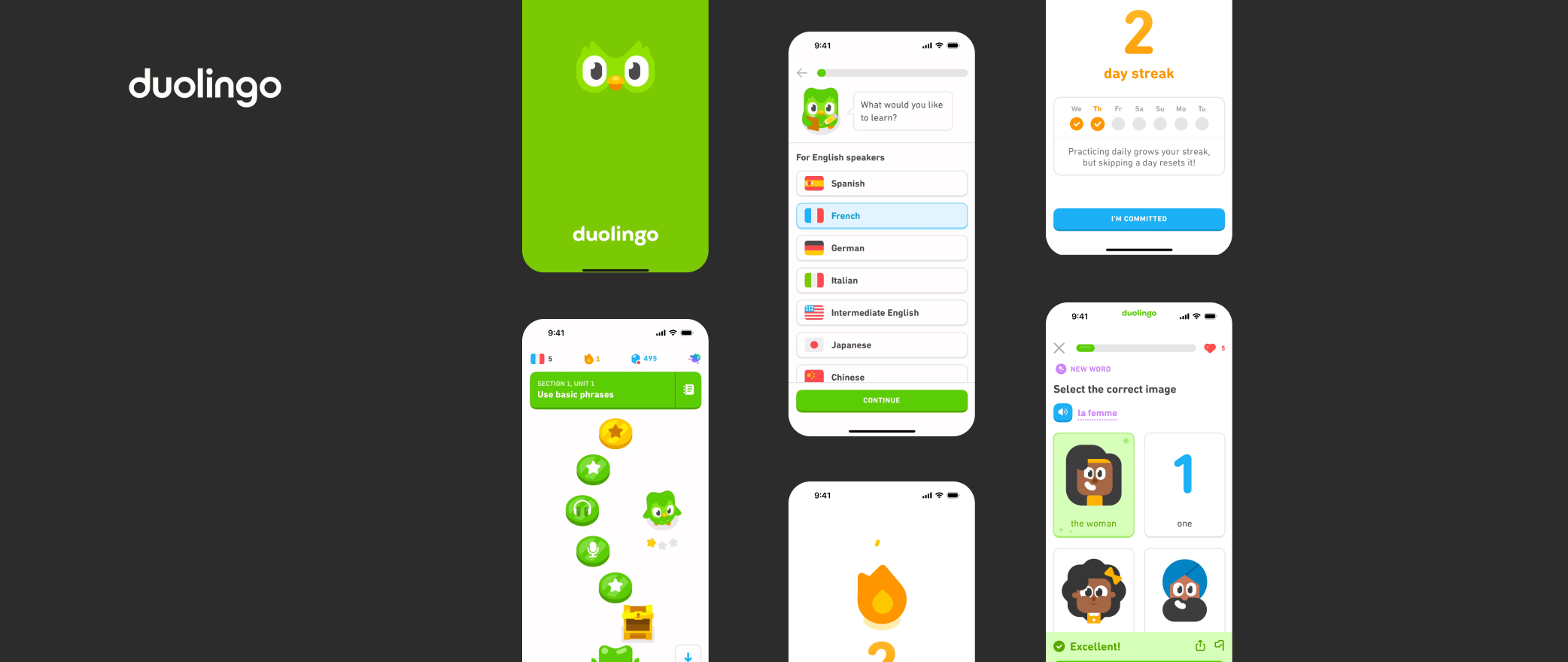
Duolingo – Gamified Language Learning. Duolingo gamifies lessons with streaks, points, and a friendly mascot while maintaining a consistent brand identity.
Highlights:
- Consistent color palette & typography
- Duo the owl as a recognizable guide
- Gamification patterns: XP, levels, streaks, badges
User Benefits: The product makes learning engaging and enjoyable, builds trust through consistent interactions, and strengthens brand recognition and loyalty.
Mobile-First & Responsive Design
Designing mobile-first ensures digital products are optimized for small screens and scale seamlessly to larger devices. Mobile-first design means creating the experience for smartphones first, then progressively enhancing it for tablets and desktops. This UX/UI principle boosts usability, accessibility, and engagement across platforms. With global smartphone subscriptions set to exceed 7.9 billion by 2028 (Statista, 2025), responsive design is essential for delivering a consistent, high-quality experience on every device.
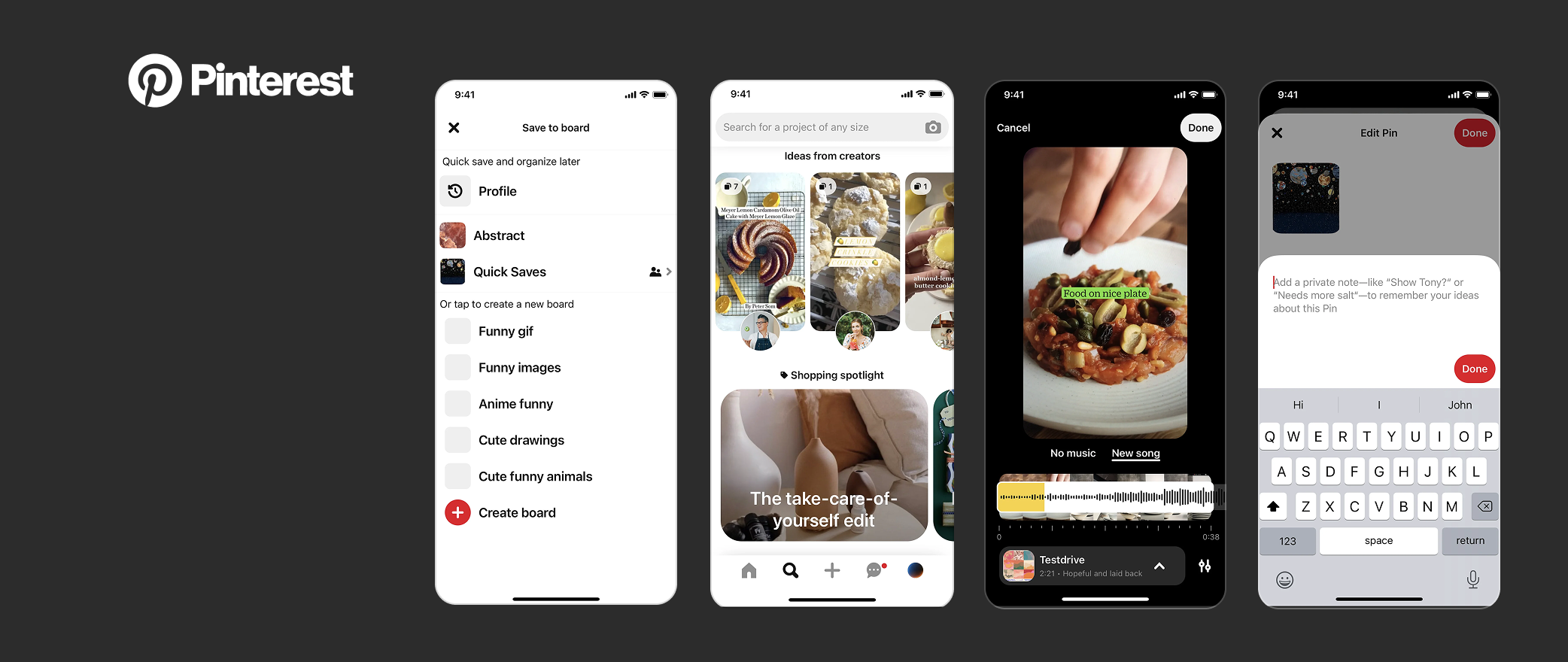
Pinterest – Visual Discovery Platform. Pinterest helps users explore and save ideas through images, links, and videos. Its mobile-first design ensures smooth browsing, saving, and organizing on smartphones.
Highlights:
- Mobile-first layout optimized for touch interactions
- Responsive design for tablets and desktop
- Boards and pins for structured content organization
User Benefits: Mobile-first design allows users to discover, save, and organize ideas seamlessly on smartphones, tablets, or desktops. The platform’s intuitive touch interactions and responsive layout make browsing large volumes of content efficient, while structured boards and pins maintain organization. Users enjoy a consistent, engaging experience across devices, enabling inspiration and creativity anywhere, anytime.
Accessibility & Inclusivity
Designing for accessibility ensures digital products are usable by everyone, including people with visual, auditory, motor, or cognitive challenges. Inclusive design is a key digital product design best practice and core UX/UI principle. Learn more with Accessibility & Material Designin and W3C Accessibility Guidelines.
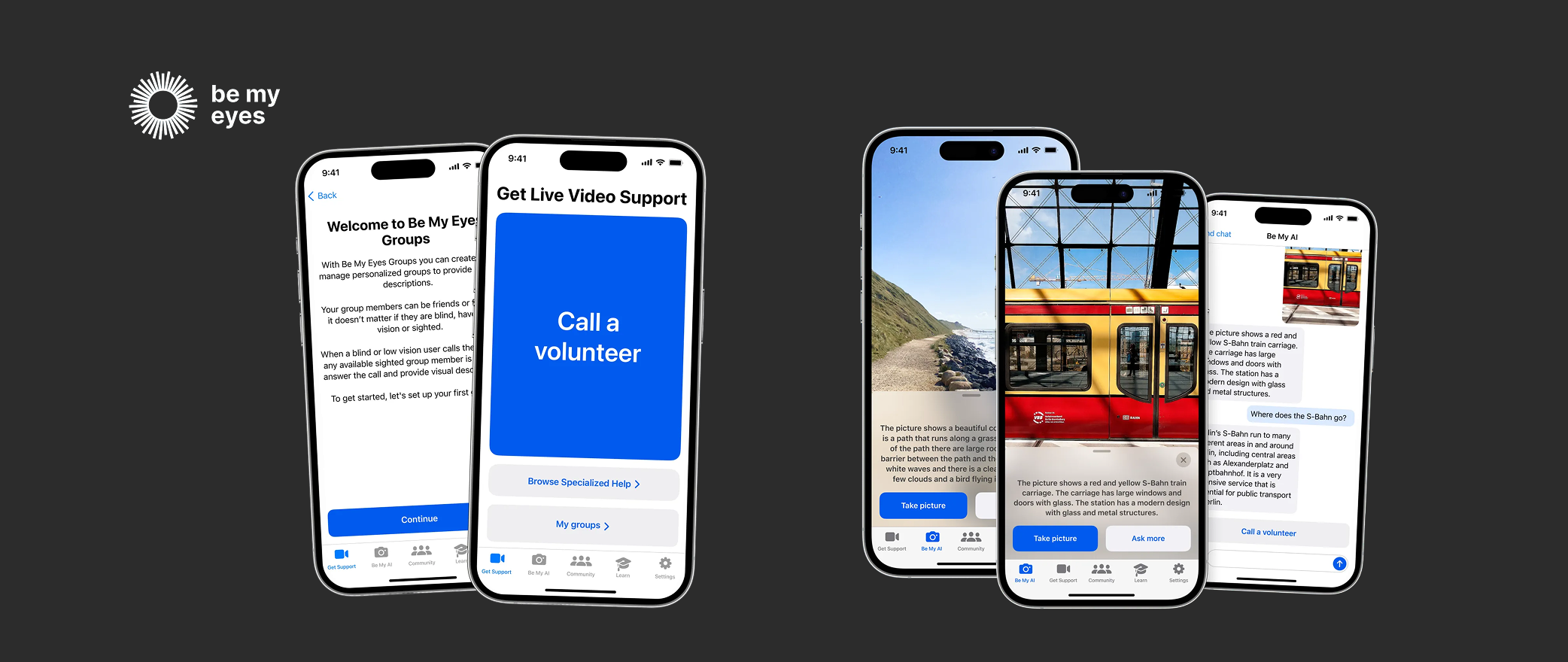
Be My Eyes – Accessibility & Visual Assistance Platform. Be My Eyes is a digital platform that connects blind and low-vision users with a network of sighted volunteers and AI-powered tools, providing real-time assistance to complete everyday tasks and enhance independence.
Highlights:
- Screen reader support
- High-contrast visuals
- Large interactive elements & simplified navigation
User Benefits: The platform ensures social interaction is accessible to all users, reduces engagement barriers, and fosters a socially responsible brand image that reflects inclusivity and trust.
Data-Driven Design Decisions
Using analytics, user feedback, and performance metrics guides digital product design for continuous improvement. Leveraging data is a digital product design best practice and UX/UI principle.
Digital Product Example: Upwork – Freelance Marketplace. Upwork connects clients and freelancers, leveraging analytics to optimize workflows and engagement.
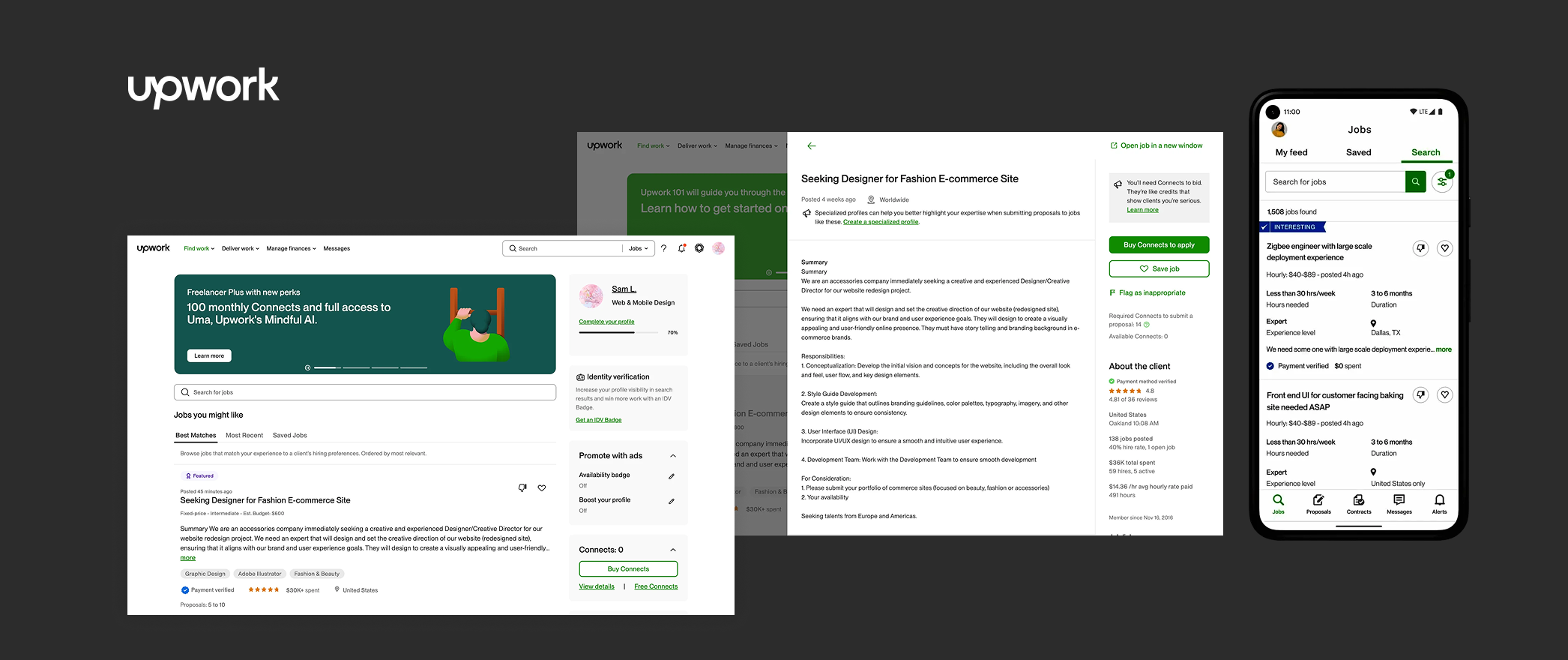
Highlights:
- Tracks drop-offs in onboarding and proposals
- Iterates workflows based on user behavior
- Measures success via engagement and completed contracts
User Benefits: The platform improves usability for both clients and freelancers by streamlining interactions and reducing friction in complex, multi-step processes, while providing insights and data that support informed decision-making throughout the workflow.
Scalability & Modular Design
Scalable and modular design ensures digital products can grow without losing usability, using reusable components for consistent experiences. Modular systems are a key digital product design best practice and essential UX/UI principle.
Notion – Modular Workspace. Notion combines notes, databases, tasks, wikis, and calendars into a flexible, modular interface.
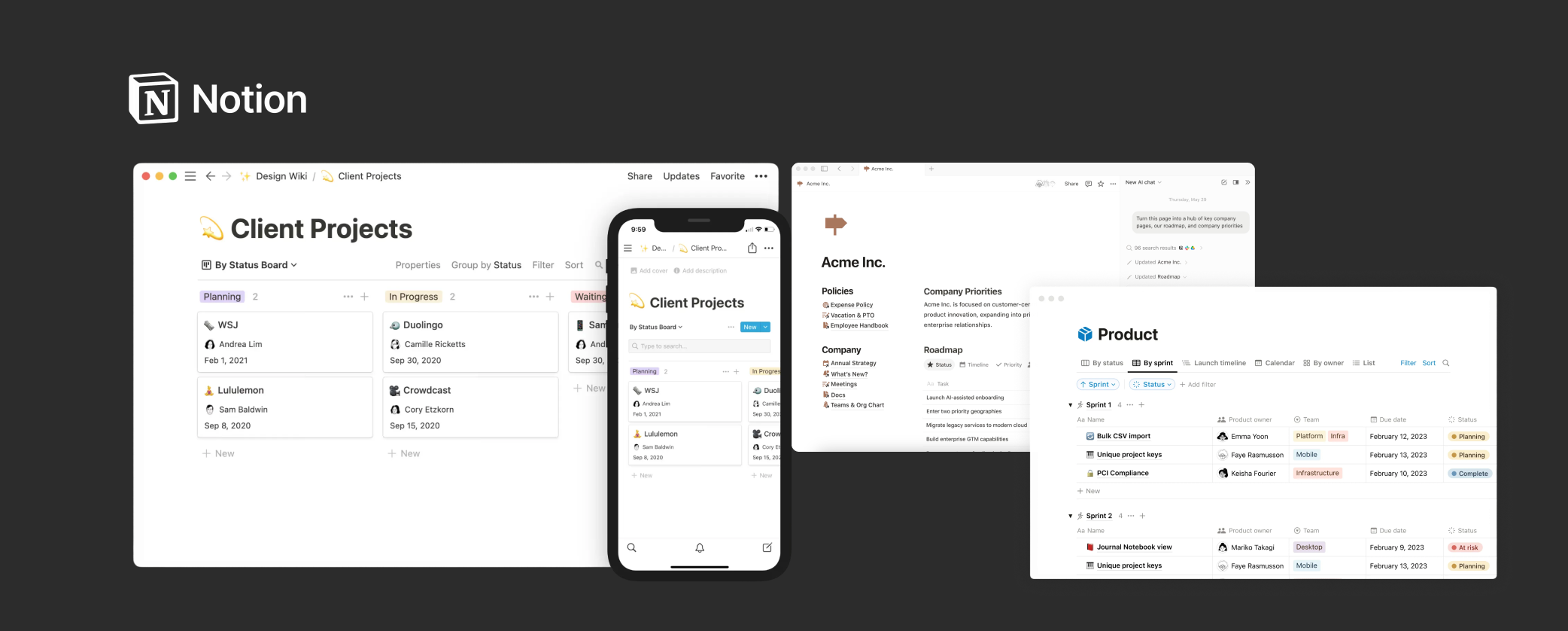
Highlights:
- Modular blocks for text, tables, galleries, and toggles
- Templates and collaboration tools for teams
- Architecture supports individuals, small teams, and enterprises
User Benefits: The product adapts seamlessly to different team sizes and workflows, allowing individuals, small teams, and larger organizations to work in ways that suit their needs. As features expand, it maintains consistency through reusable components and clear patterns, while still encouraging creativity within a structured, scalable system.
Simplifying Complex Workflows
Breaking down workflows into manageable steps reduces cognitive load and improves task completion. Simplifying workflows is a digital product design best practice and a core UX/UI principle.
Zapier – No-Code Automation Tool. Zapier connects apps and automates workflows without coding knowledge.
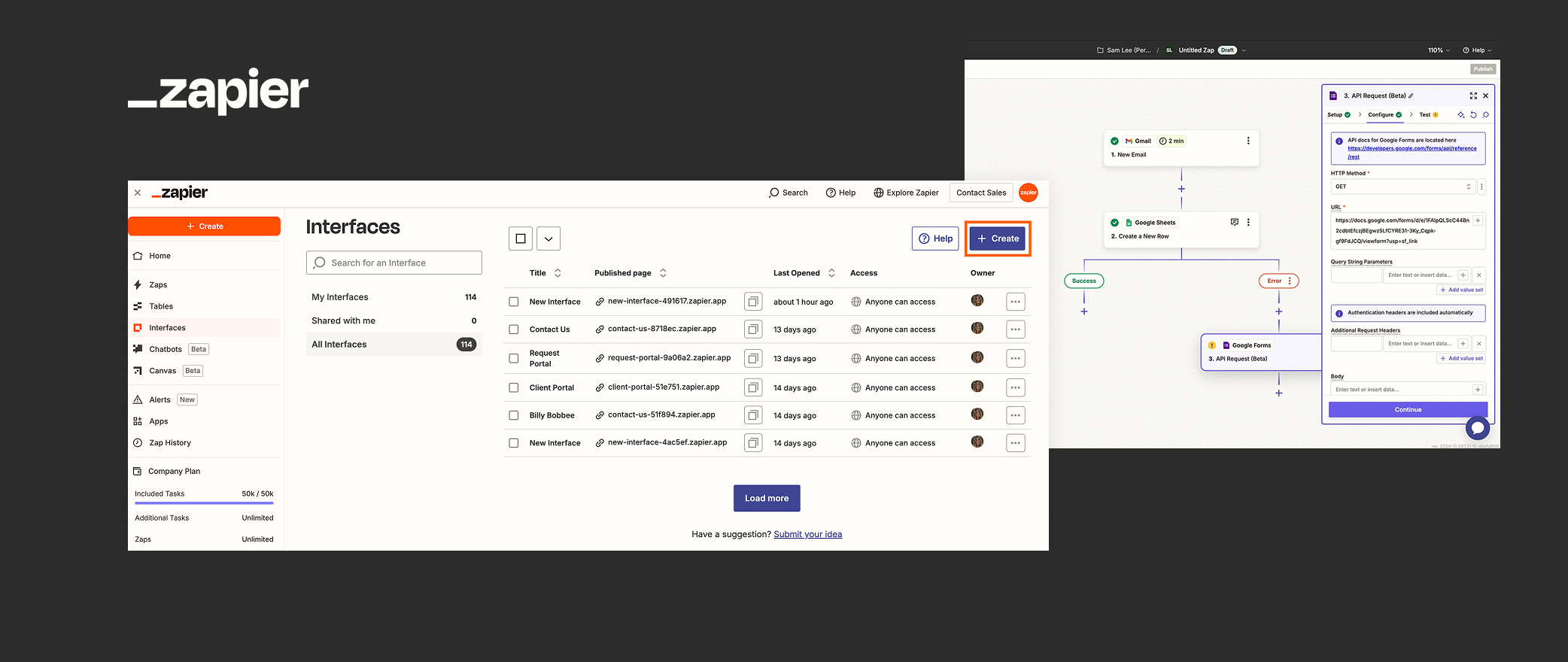
Highlights:
- Step-by-step wizards guide users
- Error handling provides corrective prompts
- Reusable components maintain consistent interactions
User Benefits: By simplifying complex workflows into clear, guided steps, the product makes automation accessible for non-technical users while significantly reducing errors and cognitive load. As a result, users can complete tasks more efficiently, streamline repetitive processes, and improve overall productivity without needing technical expertise.
FAQ
- What are examples of digital products?
Digital products are intangible goods or services delivered electronically, designed to provide value, solve problems, or enhance experiences for users. Unlike physical products, digital products exist as software, applications, or platforms and rely on thoughtful design, usability, and interactivity to succeed. They can range from productivity tools to entertainment, learning platforms, marketplaces, and accessibility solutions. - Why is user-centered design important?
User-centered design is a core digital product design best practice that ensures products address real user needs, behaviors, and goals. By focusing on research, empathy, and iterative testing, teams create digital products that are intuitive, engaging, and effective. Applying user-centered principles also improves retention, satisfaction, and overall business performance, making it a critical element in successful digital product design. - How does accessibility improve digital products?
Designing for accessibility is a key UX/UI best practice that ensures digital products are usable by everyone, including people with visual, auditory, motor, or cognitive challenges. Inclusive design increases engagement, reach, and overall user satisfaction while demonstrating social responsibility. - What is mobile-first design?
Mobile-first design is a UX/UI principle that prioritizes optimizing digital products for small screens first and scaling seamlessly to larger devices. This approach ensures users enjoy consistent, intuitive experiences across smartphones, tablets, and desktops. - How do data-driven decisions enhance digital products?
Using analytics and performance metrics is a digital product design best practice that enables teams to make evidence-based improvements and informed design choices.